MacBook vs Windows Laptop: How to Build the Best Set Up?
Walking into an electronics store and staring at fifty different screens usually ends in a panic purchase. People drop two thousand dollars on a machine just because the salesperson pushed a specific brand or pointed at a shiny logo. Understanding the exact mechanics behind the MacBook vs windows laptop debate stops that from happening. Picking the right machine dictates whether a user spends the next five years actually getting work done or constantly fighting dead batteries, loud fans, and frozen screens. The hardware choice completely defines the daily digital experience, heavily dictating how much time is wasted dealing with basic technical failures rather than completing actual assignments.
Must Read: Reasons Why the MacBook Air is the Ultimate Travel Companion
MacBook vs Windows Laptop: Key Differences
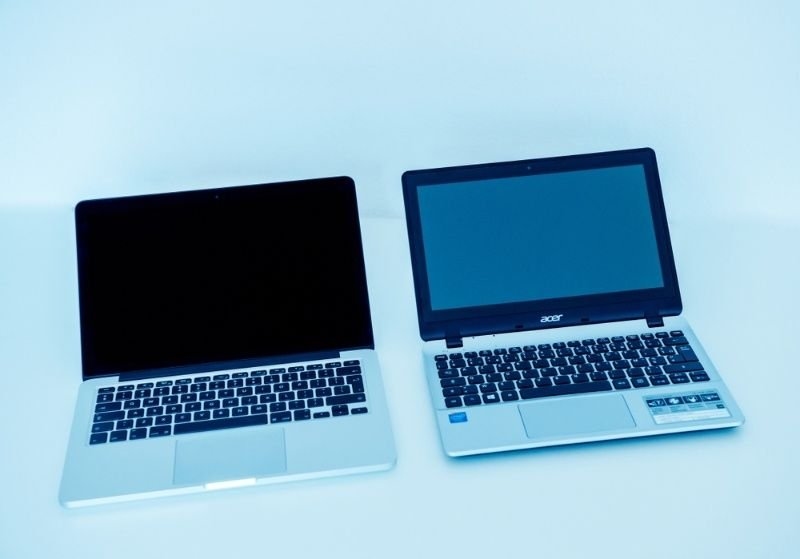
Looking at the raw specifications exposes exactly how these machines handle daily stress. The contrast comes down to internal upgrade restrictions, software compatibility, and outright graphical power. Understanding these structural limits prevents buyers from purchasing a machine that becomes completely obsolete within two years.
| Feature | Apple Computers | Microsoft-Based Machines |
| Internal Upgrades | Completely locked down. Memory and storage are permanently soldered to the board at the factory. | Highly flexible. Most models let owners swap out RAM sticks and upgrade hard drives later. |
| Hardware Variety | Extremely limited. A few core designs available in silver, grey, or black. | Massive. Thousands of different combinations, screen sizes, and extreme form factors exist. |
| Gaming Capability | Terrible. Most major competitive titles simply refuse to launch on the operating system. | Unmatched. Total dominance in running high-end graphics and handling modern game engines. |
| Battery Efficiency | Incredible. The internal chips sip power, letting the machine survive massive flights easily. | Wildly inconsistent. Massive gaming rigs die in two hours, while basic notebooks last all day. |
| Repair Networks | Requires booking expensive appointments at official corporate retail stores for simple physical fixes. | Any local computer shop on the corner can rip open the chassis and replace a broken keyboard. |
Things to Consider for the Proper Apple and Windows Laptop Comparison

Comparing these machines requires looking past the shiny aluminum cases and evaluating how the computer actually fits into daily life. Ignoring specific workflow requirements guarantees a massive case of buyer's remorse.
1. Reviewing Legacy Software Requirements
Certain massive corporate databases or older manufacturing programs refuse to run on anything but Microsoft code. Forcing an entire office to switch operating systems just to use a prettier computer completely destroys weekly productivity. If the accounting software only works on a PC, the debate ends immediately.
2. Checking the Mobile Ecosystem
Owning an iPhone makes buying a compatible laptop extremely tempting. The ability to copy a massive text block on a phone and instantly paste it onto a computer screen saves massive amounts of time. Texts and calls routing directly to the keyboard keeps users from constantly picking up their mobile device.
3. Evaluating Hardware Repairability
Accidents happen constantly during the workweek. Dropping coffee on a locked-down machine usually requires replacing the entire expensive logic board, while standard PC frames let a technician simply swap out a fifty-dollar part. Buying a machine that cannot be repaired locally adds massive risk for anyone who travels heavily and needs immediate fixes on the road.
Top Pick: Get Ready For Savings With Dell PC Black Friday July Deals
MacBook vs PC: Which is Better for Students and Working Professionals?
Different environments demand completely different tools. A kid sitting in a lecture hall has completely different computing needs than a financial executive running massive data models.
1. The College Experience
Students usually survive entirely on web browsers and heavy word processors. The massive battery life of the M-series chips lets a kid leave their heavy charging brick in the dorm room and survive twelve hours of back-to-back classes.
2. Heavy Graphic Rendering
Video editors and music producers flock to the closed ecosystem because the creative software runs flawlessly without crashing. The color accuracy on those specific screens allows artists to grade film footage without buying an external reference monitor. The creative industry practically demands this specific hardware for daily operations.
3. The Corporate Grind
Accountants and supply chain managers usually stick to the PC side. The massive reliance on heavy Excel macros and specific enterprise resource planning software makes stepping away from the standard corporate operating system practically impossible. Office networks run almost exclusively on Microsoft infrastructure.
Practical Tips to Find the Best Laptop Choice
Walking away with the right machine means ignoring the flashy marketing graphics entirely. Focus strictly on actual usage habits rather than hypothetical scenarios that will never actually happen.
1. Stop Overbuying Processing Power
Most people use their expensive computers strictly to watch streaming movies and answer emails. Spending three grand on an extreme rendering machine just to type a basic college essay burns cash for absolutely zero reason. Buy the baseline model unless the daily workflow physically demands heavy processing to render raw 4K video files or compile massive blocks of code.
2. Check the Port Situation
Dongles ruin the entire point of buying a portable machine. If a job requires plugging in external hard drives, heavy projectors, or wired internet cables every single day, buy a chassis that actually has those exact slots built in.
3. Test the Physical Keyboard
Typing on a stiff, terrible keyboard for eight hours a day destroys the wrists. Walk into a physical store and smash the keys for ten minutes to see if the physical feedback actually feels decent before handing over the credit card. A bad typing experience ruins the entire computer.
Conclusion
Locking down the right hardware prevents endless daily frustration. The entire MacBook vs windows laptop debate boils down to understanding exactly what software pays the bills and how long the battery actually needs to survive away from a wall plug.
Frequently Asked Questions
Is a MacBook better than a Windows laptop for everyday use?
For basic web browsing and typing, both machines perform exactly the same. The Apple machine pulls ahead slightly simply because the battery survives multiple days of light use and the fan never kicks on during basic tasks.
Should I buy a MacBook or Windows laptop?
Look entirely at the required software before looking at the physical hardware. If a specific college course or employer demands a niche program that only exists on Microsoft systems, the choice is made immediately.
What is better between MacBook vs Windows laptop for students?
Kids surviving on a tight budget should grab a cheap PC notebook to get through their basic English classes. Students dealing with heavy video production, 3D animation, or coding degrees usually bite the bullet and pay the premium for the closed ecosystem.
Which laptop is better for productivity?
This depends entirely on the specific industry. Heavy spreadsheet operators and data analysts move much faster on PC rigs because of strict software compatibility, while graphic designers and music producers rely entirely on the smooth hardware integration found on the opposing side.
How does the long-term resale value compare between these machines?
Standard plastic notebooks lose massive amounts of value the second they leave the retail store. The premium aluminum machines hold their secondary market value aggressively, meaning an owner can usually sell a four-year-old rig to help fund an immediate hardware upgrade.