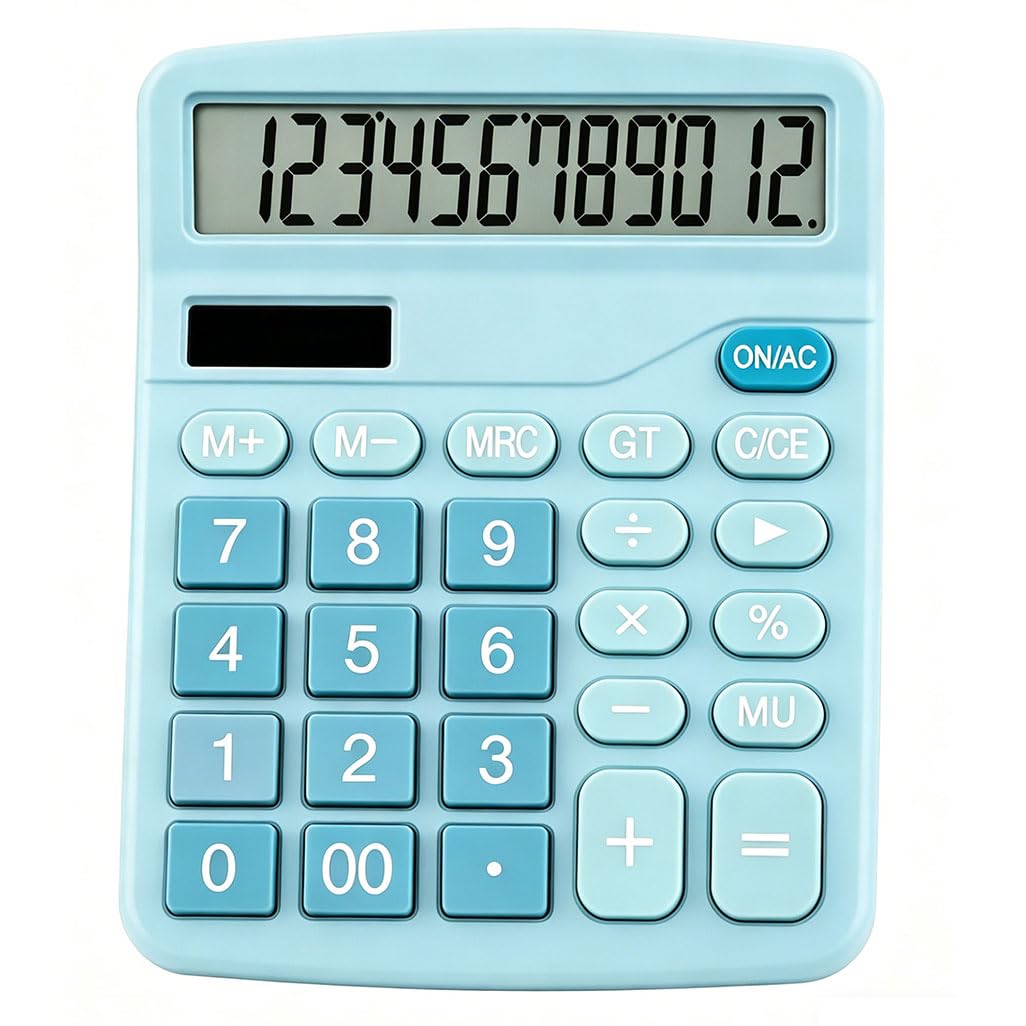
Cute & Stylish Blue Desktop Design: This blue desk calculator features an attractive soft blue look that fits home, office, and school desk decor perfectly. It solves the pain point of plain, boring black calculators, bringing a pleasant visual experience for daily use. Large 12-Digit Easy-to-Read Display: Equipped with a large clear LCD display, it is friendly for kids, students, seniors, and people with vision needs. It reduces eye strain during calculation and works well in well-lit home/office/school scenes. Compact & Space-Saving Desktop Size: With a slim, lightweight body, this desktop calculator fits small drawers and crowded workspaces without taking too much room. It solves the pain point of bulky tools for home and office users with limited desk space. Quiet & Comfortable Button Operation: Rubber dome buttons produce minimal clicking noise, suitable for quiet offices, libraries, and classrooms. It avoids disturbing others while offering tactile feedback better than phone screens. Reliable Color & Simple Practical Use: The blue color stays vibrant without fading, ideal for long-term daily desk use. It keeps users focused by avoiding phone distractions, great for kids learning math, teachers grading papers, and adults doing quick home/office calculations. Q: Will the soft blue design still look cute on my desk, or does it look cheap in person compared to basic black calculators?
A: The soft blue design is cute, matches product images, and looks better than plain black calculators for office/desk decor; it fits users who want stylish desk items, though the build is budget-friendly.
Q: Is the 12-digit LCD screen really easy for seniors or kids to read without squinting, even in dim office lighting?
A: The 12-digit large LCD screen is easy to read for kids and seniors in normal light; it works for low-light spaces with extra lighting, but dim environments need a lamp—best for well-lit home/office desks.
Q: At $6.99, is this calculator sturdy enough for daily school or office use, or does it feel really flimsy?
A: At $6.99, it’s lightweight ABS plastic with a budget build, not sturdy for heavy daily school/office use; ideal for casual, light home/occasional desk calculation for adults and students.
Q: Why should I use this physical calculator instead of just opening the calculator app on my phone for quick math?
A: It avoids phone distractions, offers tactile buttons, and stays focused on calculations—great for kids learning math, seniors, and users wanting a dedicated desk tool; phone calculators are more reliable overall.
Q: Is this compact enough to fit in a small desk drawer or on a crowded workspace without taking too much space?
A: Yes, it's compact (5.7"L×4.7"W×1.8"H, 4oz), fits small drawers and crowded desks comfortably; perfect for home/office users with limited workspace.
Q: Will this be a good first calculator for my kid—large buttons, clear display, and simple enough for elementary math?
A: Yes, it's an excellent first calculator for elementary kids: large buttons, clear big numbers, simple functions, and cute blue color appeal to young learners.
Q: Does the solar power work reliably, or do I need to keep it under bright light all the time to stay on? Can I use this for grading papers, daily home calculations, or office work without it lagging or missing inputs?
A: Solar power is unreliable—shuts off if shaded, erases work; buttons need firm center presses, causing missed inputs. Not for grading, office work, or daily heavy use; only for light, occasional home math.
Q: Does the blue color fade or get dirty easily after daily use on a desk?
A: No, the soft blue color stays vibrant with no fading or discoloration; ideal for daily desk use for home/office users who care about appearance.
Q: Will the calculator keep my calculation data if the solar power cuts out briefly?
A: No, it loses all calculation data instantly if solar power cuts out (shadow/hand cover); risky for long tasks for students, office workers, and home users.
Q: Is this calculator quiet when pressing buttons, or does it make loud clicking noises in a quiet office?
A: It uses rubber dome buttons, runs quietly with minimal clicks; suitable for quiet offices for students, teachers, and office staff needing low-noise tools.
Q: Can it handle long strings of numbers for budgeting or inventory work without errors or lag?
A: No, unresponsive buttons and sudden solar shutdowns cause errors and data loss; not for budgeting, inventory, or long calculations for office workers/self-employed users.