

Uninstall
Uninstall
You can follow the instructions to uninstall the extension from your browser.
Uninstall Instructions for Chrome browser.
-
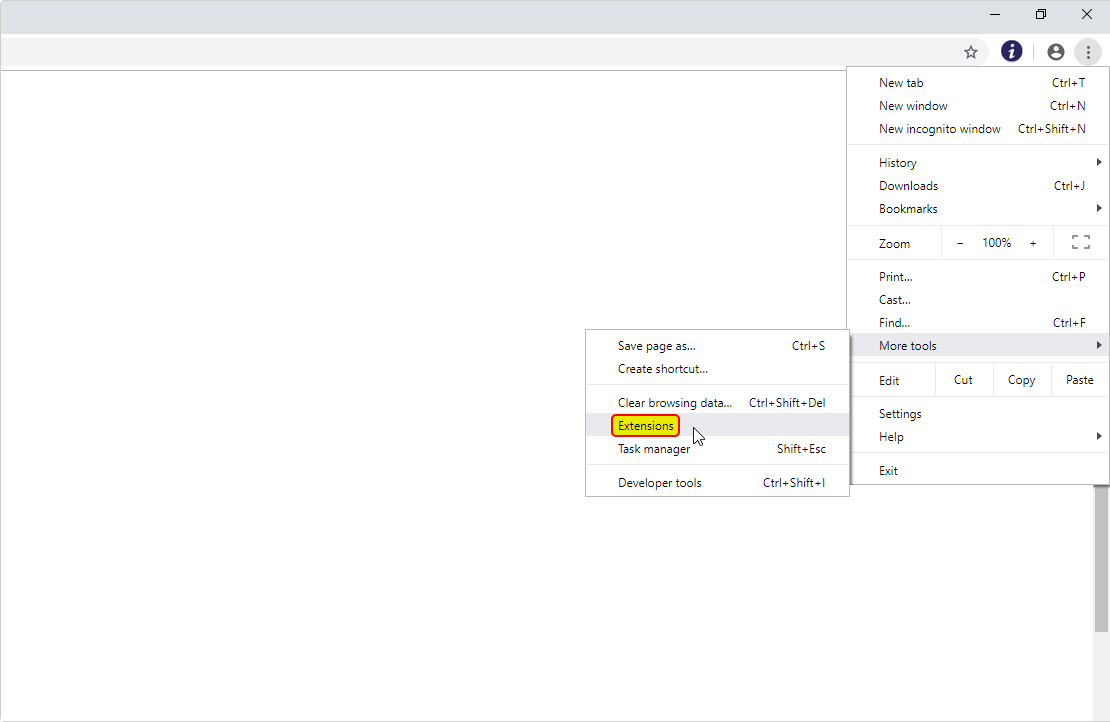
Step 1:
Click on the vertical ellipsis icon that is located in the upper right-hand corner of your Chrome Browser, then hover over “More tools” and go to "Extensions".
-
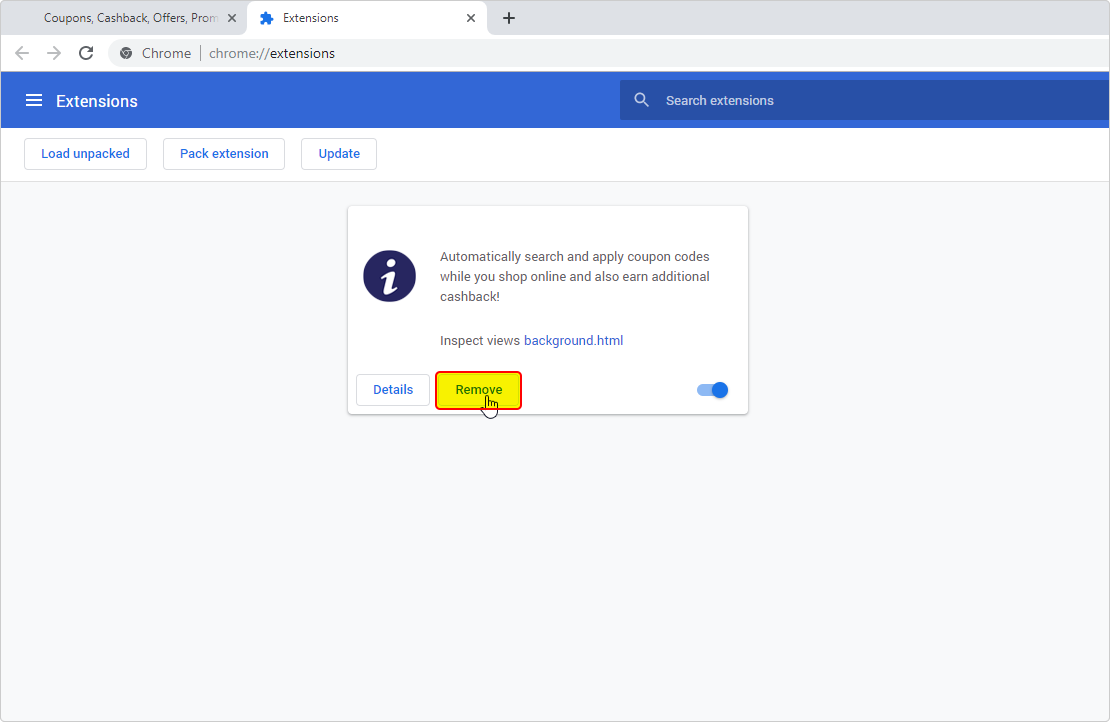
Step 2:
Click on the "Remove" button to the right of "Details" from the list of "Extensions".
-
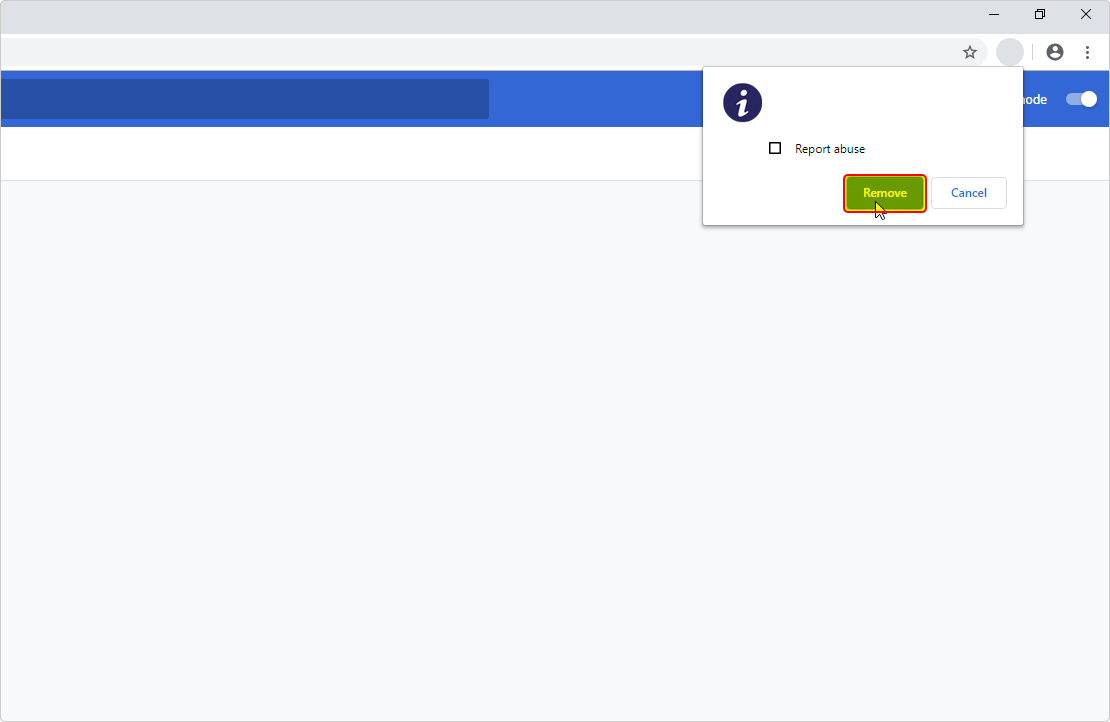
Step 3:
By clicking "Remove" again in the confirmation dialog box on the top right corner of your Chrome Browser for confirming the removal of the extension.
- Step 4: To confirm the removal of the extension, close your Chrome browser completely and reopen it.